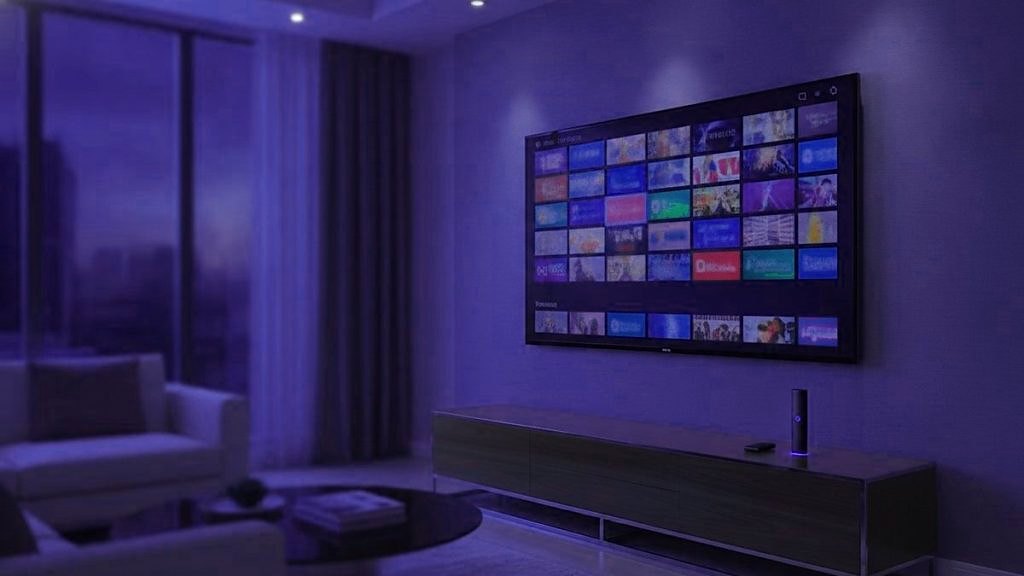
IPTV, or internet protocol television, is television that reaches your screen as internet data and plays inside an app, rather than coming through an antenna, a cable line or a satellite dish. The channels are the ones you know; only the route into the house is new. Our example throughout is IPTVSOSO, because we can describe it from the inside: one login, 25,000+ live channels gathered from 60+ countries, from today’s sport and news to channels of classic films and comedy repeats, and 120,000+ on-demand movies and series to go with them.
Three routes television has taken into the home
For decades the picture came through the air. A transmitter sent every local channel out at once, the antenna on the roof or the rabbit ears on top of the set caught the lot, and turning the dial chose which one you saw. Good reception meant a well-aimed antenna, kind weather and not too many hills in the way.
Cable and satellite moved the signal onto a wire under the street or a beam from orbit, but kept the principle. The whole package flowed into every subscribing home all day, and a box beside the television tuned in one channel from it. That extra capacity is a large part of why entire channels came to be devoted to a single thing, such as old films, music videos or cartoons.
IPTV is the third route, and it turns the principle around. Nothing flows to you until your player asks. Choose a channel and a server sends that channel alone, to that screen alone, as data. The program at the far end is the same one a cable household sees; everything between the studio and the sofa is different.
What the letters stand for
Internet protocol is the addressing system that chops information into numbered packets and steers each one across networks to the right device. Web pages, messages and video calls all depend on it. Television carried under those rules is internet protocol television, so the name describes how the picture travels and says nothing about what is on it, a distinction that comes back when people ask about legality.
The term gets used for two different businesses. Telecom companies sometimes send their own TV bundles over a closed network, with a set-top box you rent from them. The other meaning, and the one most people intend today, is a subscription that arrives over the ordinary internet from the provider’s own servers, which you watch in any compatible app you like. IPTVSOSO is the second kind, and that is the kind this guide describes.
What happens in the seconds after you press OK
Watching a live channel means your player and a server talk constantly, with a fresh request every few seconds until you switch off. The table follows that conversation from the button press to the picture.
| Moment | Behind the screen | On the screen |
|---|---|---|
| You choose a channel | The player passes your username and password to the server named in your login | A brief black frame |
| The server decides | It looks at whether your term has run out and whether the plan has a stream to spare right now | Nothing, unless a check fails and the player shows an error |
| The picture is sent | Video leaves in short numbered pieces, each holding a few seconds of sound and picture | The channel appears |
| You keep watching | The player stores a few pieces ahead of the one being shown | A steady picture, running slightly behind the broadcast |
| Your line hiccups | Short gaps are covered from that store; a long one empties it | Either no change, or a frozen frame and a spinning wheel |
That small store is the buffer. It is why a brief wobble in your Wi-Fi goes unnoticed and a longer one halts the picture: the channel has not gone off the air, its next pieces are simply late. When people complain that IPTV is “buffering”, this is the moment they are describing.
Two more quirks come with it. A live channel on IPTV lags the original transmission by a few seconds, since each piece is packaged before it travels, so a neighbor with an antenna may cheer a touchdown before you have seen the snap. And because each screen pulls a stream of its own, plans are priced by how many screens play together, not by how many devices have the login saved.
What you actually receive when you subscribe
An IPTV purchase delivers information, not hardware. At IPTVSOSO it arrives as text in the WhatsApp chat where you ordered, normally within 15 minutes of payment, and it comes in three shapes so that any mainstream player can use at least one of them:
- Xtream Codes details: three values, the server URL plus your own username and password. A player that takes them fills in live TV, films, series and the guide by itself, which makes them the first choice. The Xtream Codes login guide covers each field.
- An M3U link: a single lengthy web address, based on get.php, that carries your username and password inside it, for playlist-style players. Whoever holds the link can use the account, so do not post it anywhere.
- A guide address: an xmltv.php link with the program listings. Most players fetch listings by themselves, so only a few ever ask for it.
Some things you might expect are not part of it. You will not find an IPTVSOSO app in any store, because the details are typed into a player from another developer, IPTV Smarters Pro or TiviMate for example; an APK using the name was made by someone else and should stay off your devices. Nor is there a website account to log in to. Ordering, paying, the free trial, renewals and help all happen inside the same WhatsApp chat.
One more point saves a lot of confusion. Several unrelated businesses sell IPTV under the same name on other websites. None of them is connected to this one, and IPTVSOSO orders are taken only through this website and its WhatsApp number.
Live, catch-up and on demand
A signed-in player offers three ways to watch, and each one follows its own rules.
Live channels
These run to the broadcaster’s timetable, just as on cable: join a film forty minutes after it began and those forty minutes are gone. Channels are filed in groups, usually by country and then by kind, and the program guide lays them out as a grid of what is on now and later. The page on the IPTVSOSO TV guide explains how listings load in the common players.
Catch-up
Some channels keep recordings of what they aired over recent days. On those, you scroll back through the guide and open an earlier program from its opening minute. It is never offered on every channel, and how far back you can reach differs from one channel to the next; players tend to put a small symbol beside the channels that have it. Catch-up TV with IPTVSOSO shows where that symbol appears.
On demand
The library lives in its own sections of the player, usually Movies and Series, where nothing runs to a schedule and a title starts when you press play. The IPTVSOSO library holds 120,000+ movies and series, older films and series that finished their runs long ago among them, sorted into categories you can browse or search by name.
Channels from every decade, side by side
Sport tends to dominate talk about IPTV, and it is part of the story. Mentioned less often is how much of television’s past comes along with it. A line-up drawn from many countries holds whole channels built around one format, such as old films, comedy repeats, long-running drama, cartoons and music, of the sort a single local package may carry only a few of.
In the IPTVSOSO line-up, names worth typing into the search box include:
- TCM, a channel of classic films, plus MoviePlex and Starz Encore, both known for films from earlier decades.
- Hallmark and Hallmark Movies for TV movies, and film channels such as HBO Signature, Epix / MGM+, Sundance and IFC.
- From British television, Gold and Dave for comedy repeats, ITV3 for drama repeats, and ITV4.
- Boomerang, known for older cartoons, and MTV and VH1, music channels whose schedules today look different from the ones they launched with.
Two habits keep them close at hand. Gather them into one favorites list so they sit together instead of scattered across country groups (TiviMate keeps favorites in its Premium tier; many other players include them at no cost). Then glance at the guide early in the day to see which film begins at the hour you will really be in front of the set. The classic channels page goes through each format in more depth.
Old programs on a 4K screen
Older films and shows reach you in SD or HD. A 4K television, or a 4K version of a channel, cannot add detail that was never in the source; the player and the TV scale the picture up to fill the panel, which makes it larger rather than sharper. Many older TV programs were also made for the squarer 4:3 screen, so black bars down both sides are expected and show the picture the way it was framed. 4K earns its keep on modern sport and recent releases, as the page on IPTVSOSO 4K channels explains.
The devices it runs on
If a screen can install apps, it can almost certainly play IPTV, and most households own several such screens already. What changes from one device to the next is how the player gets on.
- Fire TV Stick on Fire OS: the player goes on through the Downloader app, after you unhide Developer Options by pressing select 7 times on the device name in My Fire TV > About. One model is the exception: the Fire TV Stick 4K Select is built on Vega OS, which allows no sideloading. The walkthrough is in the Firestick setup guide.
- Android TV and Google TV: from the store, or from the developer’s own site.
- Samsung and LG televisions: Smart IPTV is in the Samsung store for 2022 and newer sets (Tizen 6.5 and up), and on LG it needs webOS 3.0 or later.
- Apple TV, iPhone and iPad: the free Smarters app is listed as Smarters Player Lite, and iPlayTV is an Apple-only alternative.
- Roku: no sideloading at all, which makes it the most limited of the common platforms.
- MAG boxes: no app at all; the box takes a portal URL, and the provider registers its MAC address (these start with 00:1A:79).
Each of these has its own walkthrough among the IPTVSOSO setup guides.
The line matters more than the box
Set aside roughly 10 Mbps for every HD picture and 25 Mbps for every 4K picture, counting every screen that is on at once. A line that stays at a middling speed right through the evening serves you better than a quicker one that keeps cutting out, because the buffer only suffers in the gaps. If the main television sits far from the router, running a network cable to it usually helps more than paying for a quicker broadband plan.
How it compares with cable and with streaming apps
Cable delivers a schedule of channels, mostly from one country, through its own box. A streaming app delivers one company’s library, inside that company’s app, with little or nothing live. Subscription IPTV sits between the two: live channels from many countries with a guide, a library alongside, and a free hand over player and hardware. The cost of that flexibility is that everything rides on your broadband; no internet means no television.
For contracts, equipment and the monthly bill side by side, read how IPTV compares with cable TV. The difference between IPTV and on-demand apps has an article of its own, IPTV versus OTT streaming.
Four mix-ups that spoil a first evening
Taking the player for the service
IPTV Smarters Pro, TiviMate and the rest install empty. The channel list stays blank until a login goes in, and that blank screen is where many people decide something is broken. Think of the player as the television set and the subscription as the signal it receives.
Hunting for a branded app
Since no IPTVSOSO app exists, anything in a store or on a download site carrying the name belongs to somebody else. The page on the IPTVSOSO app question names the players to use instead.
Expecting a replay on every channel
Catch-up belongs to particular channels, not to the whole line-up. If starting last night’s late film this morning is the reason you want IPTV, confirm during a trial that the channels you care about carry the replay symbol before paying for a long term.
Counting devices instead of screens
A plan’s connection count limits how many screens play at the same instant, not how many hold the login. Put it on the living-room TV, a tablet and a phone; only the ones running together are counted.
Is IPTV legal?
The method is. Your own broadband company may well send its TV bundle this way, and broadcasters stream their channels over the same protocol every day. A particular service is a separate matter: it turns on the rights that service holds for what it carries and on the law where you watch, and nothing on this page is legal advice. Our article on IPTV and the law treats the question properly.
Seeing it for yourself
One evening with a working login explains IPTV better than any diagram. The IPTVSOSO free trial gives you a full day on your own set and broadband, long enough to open a live channel, find a film in the guide, replay something on a catch-up channel and start a title from the library. Should you buy afterwards, a first purchase is covered by a 7-day money-back guarantee and plans never renew by themselves. Every term from one month to twelve is set out with IPTVSOSO prices.
Side questions, answered briefly
How does IPTV actually reach my TV?
As data over your broadband. When you pick a channel, a player app on your TV or streaming stick sends your login to the provider’s server, which checks the account and then sends that one channel in short pieces a few seconds long. The player keeps a small reserve of pieces ahead of what you are watching, which is why brief dips in the connection never reach the screen.
Do I need a box or a special TV for IPTV?
Usually not. If a device can install a player app, it can play IPTV: smart TVs from Samsung and LG, Google TV and Android TV, Fire OS models of the Fire TV Stick, an Apple TV box, and any phone, tablet or computer. A separate stick or box only helps when the television cannot run a player. MAG boxes are the exception in how they sign in: they use a portal URL and the box’s MAC address.
Is there an IPTVSOSO app to download?
No, and that is by design. A subscription consists of sign-in details rather than software: a server URL, username and password, along with an M3U link, delivered in the WhatsApp chat where you order. They go into a player of your choosing, IPTV Smarters Pro and TiviMate being common picks. An APK or store listing that uses the IPTVSOSO name comes from someone else, so leave it alone.
Can I watch classic movies and old TV channels with IPTV?
Yes, when the line-up carries them, and a broad one usually does. IPTVSOSO includes channels built on older programming, such as TCM for classic films, Gold and Dave for comedy repeats, ITV3 for drama repeats and Boomerang, known for older cartoons, next to 120,000+ movies and series on demand. Search the channel by name, add it to favorites and check the guide for the next start time.
Will old films look sharper on a 4K TV?
No. Older films and shows arrive in SD or HD, and neither a 4K screen nor a 4K plan can add detail that was not in the source. The player and the television scale the picture up to fill the panel, so it looks bigger rather than more detailed. Programs made for 4:3 screens also keep black bars at the sides, which is their correct shape.
What internet speed do I need for IPTV?
Count roughly 10 Mbps for an HD picture and 25 Mbps for a 4K one, then multiply by the number of screens you expect to run together. Steadiness counts for more than the figure on your bill, because a line that sags in the evening drains the player’s buffer. Running a network cable to the main TV device is usually the most effective single fix.
Start with the classics, keep everything else
An IPTVSOSO term opens the classic film and re-run channels together with the other 25,000+ live channels and 120,000+ movies and series, sport and news included. A month costs $15 on one screen. Once you have paid, the login reaches your WhatsApp under 15 minutes, and a refund is yours on request for 7 days.
Also on the IPTVSOSO blog
Best IPTV box or stick: choosing what to plug in behind the TV
A box can add a better player, a network cable or a remote made for live TV, and sometimes the television needs…
October 8, 2026Is IPTV legal? Seven common beliefs about IPTV and the law, checked
The method behind IPTV is lawful; the rights behind each channel decide the rest. Seven things people believe about IPTV and the…
October 7, 2026IPTV glossary: common terms, sorted by the question behind them
The IPTV vocabulary, sorted by what you are trying to find out: what you are paying for, how you sign in, what…