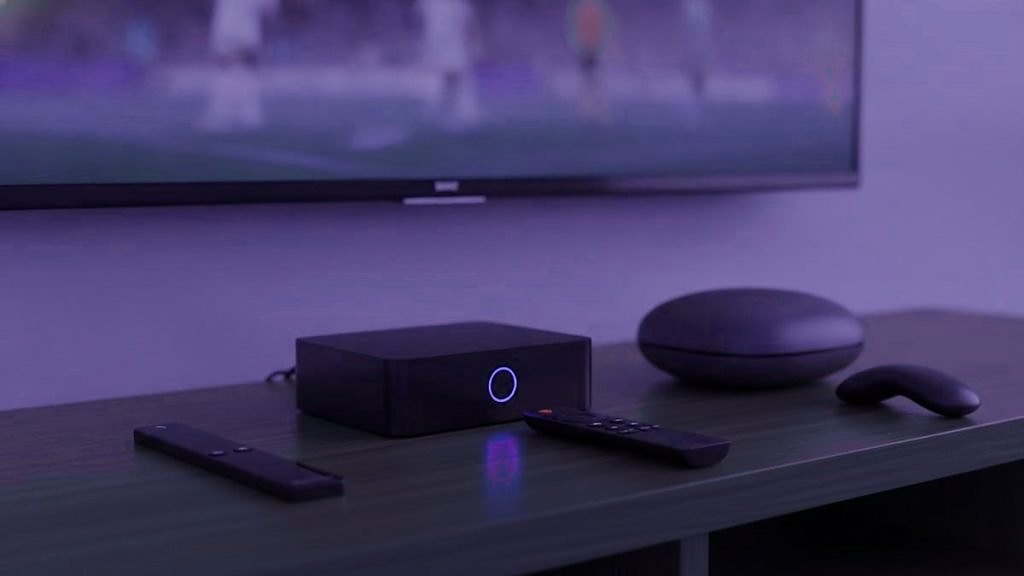
An IPTV box is worth buying only when it fixes something your television cannot do by itself: run a stronger player, take a network cable, or give you a remote that makes flicking between channels feel like turning the old dial. If the TV already manages all three, you need nothing new. IPTVSOSO is a login, not a device, so the same subscription plays on a stick, a box, a smart TV, a phone or a laptop, and there is no hardware to buy from us. Below, the device families come in the order most homes meet them, followed by a table that pairs each one with a way of watching. Retail prices move every few weeks, so none are quoted here.
What a box can add, and what it never adds
Three things separate a good add-on device from the apps already inside your television.
- More players to choose from. TiviMate, the player known for its guide, runs only on Android-based TV hardware. A Samsung or LG set is limited to what its own store lists.
- A wired connection. Many boxes have a network socket built in, and sticks can take an adapter from their maker. Live channels gain more from that cable than from any processor.
- A remote laid out for live TV. Set-top boxes in the MAG and Formuler mold come with remotes that have more buttons aimed at channels and the guide than a streaming-stick remote does.
Two things no box adds. Channels, first: every device arrives empty, and the line-up comes from the subscription you enter. And detail: an older film made in SD stays an SD film, whatever the box costs. More on that further down.
Fire TV sticks: read the operating system, not just the model name
Amazon’s sticks are the most common IPTV hardware, and they now come in two kinds that behave very differently.
The Fire OS models
The 4K Max, the 4K and the Lite run Fire OS. Amazon’s store does not carry TiviMate, so it arrives through the Downloader app after Developer Options are unlocked. Those options appear after 7 presses of select on the device name, which sits under Settings, My Fire TV, About. The Lite outputs HD at 1080p, which is perfectly adequate for an HD television and for most older material, but it cannot send a 4K picture to a 4K set.
The 4K Select
Amazon’s 4K Select is built on Vega OS, a system that does not sideload. Only the apps the Amazon Appstore offers for that model will ever run on it, which rules out TiviMate. If the reason for buying a stick is TiviMate, pick one of the Fire OS sticks or a Google TV device instead. Every menu on the Fire OS route is named in the guide to install IPTVSOSO on a Firestick.
Google TV and Android TV boxes
These boxes take TiviMate and IPTV Smarters Pro from the Google Play Store like any other app; nothing needs unlocking first. For anyone who wants TiviMate’s guide without a sideloading step, that is the smoothest route there is.
The category runs from well-known brands to anonymous boxes, so a few checks are worth more than the spec sheet:
- Memory first. A guide that covers thousands of channels is heavy work; 2 GB of RAM is the floor, and 3 or 4 GB keeps scrolling smooth.
- A real Android TV or Google TV build, not a phone version of Android squeezed onto a box, so the store shows TV apps properly.
- A network socket, so a cable from the router can plug straight in.
- A maker you can name. Unbranded boxes often ship with altered firmware that nobody will vouch for.
- Skip the core count. A handful of fast cores outruns twice as many slow ones, and listings rarely say which kind is inside.
At the top of the range, the Nvidia Shield has long been regarded as the quickest Android TV hardware, and Formuler boxes pair their own player with ordinary Android apps. Both are more than most homes need. The Android TV setup guide covers the sign-in on this family.
MAG boxes: channels without an app
A MAG works differently from everything else here. There is no player to install or update; the box loads a portal, and the portal supplies the menus. Turn the box over: the sticker at its base carries a MAC address, and on a MAG it always starts 00:1A:79. You send that address in the WhatsApp chat when you order, IPTVSOSO ties the subscription to it and replies with the portal address, and you type that address into the box’s system settings.
The appeal is simplicity. Someone who wants to press power and find the channels, with no store, no updates and no login screen, is well served. The trade-off is choice: the menus belong to the portal, not to an app you chose, so the look of favorites, the guide and catch-up is decided there. Both setups are walked through in the guide to MAG and Formuler boxes.
Apple TV
An Apple TV installs only from the App Store, so the shelf is short: Smarters Player Lite, which is free, and iPlayTV, a paid app made for Apple devices alone. TiviMate does not exist on tvOS, and lookalike names in the store come from other developers. In a household where everyone already carries an iPhone, an Apple TV keeps one familiar remote and one familiar menu, which counts for a lot. The sign-in for both apps is in the Apple TV and iPhone walkthrough.
Roku
Roku hardware handles the big streaming platforms well. Sideloading is blocked, though, and the Roku store lists very few IPTV players, TiviMate not among them. If a Roku is already behind the TV, the easy answer is an Android-based stick in a spare HDMI port; both can stay connected and you switch input. If you are buying today with IPTV in mind, look elsewhere. The options for an existing Roku are set out on the Roku page.
When the television alone is enough
A Samsung set from 2022 or later, running Tizen 6.5 or above, can install Smart IPTV from its own store, and an LG set needs webOS 3.0 or later for the same app. Smart IPTV has no username screen: it shows the TV’s MAC address, you attach your M3U link to that address on the developer’s site, and after a free period the developer asks a one-time fee per television, separate from your subscription.
For a kitchen or bedroom set where the TV mostly runs in the background, that is often all you need. The Samsung route is described in the Samsung smart TV guide. LG owners have a guide for LG sets of their own.
Matching a device to the way the TV is used
| How the TV gets used | Device to look at | Check before you pay |
|---|---|---|
| The Sunday-afternoon film channel and the match, both on the main TV, with a full guide | A box on Google TV or Android TV, or a stick on Fire OS, wired to the router | A network socket or adapter; not the 4K Select if you want TiviMate |
| Switch on and find the channels where you left them, no apps in sight | A MAG box | The MAC address on the sticker; the portal is set up in the WhatsApp chat |
| A household of iPhones | Apple TV | Smarters Player Lite or iPlayTV, as there is no TiviMate |
| Comedy repeats in the background while cooking | The TV’s own app | Samsung 2022+ or LG on webOS 3.0+; the developer’s fee for Smart IPTV |
| A Roku already connected | An Android-based stick in a free HDMI port | One of the Fire OS sticks, or a Google TV device |
| An HD television in a spare room | Fire TV Stick Lite or the TV’s own app | 4K hardware buys nothing on an HD panel |
No box turns an old film into 4K
The question comes up with every classic film channel: will a 4K box make an old picture sharper? It will not. Older films and television were made in SD or HD, a channel carries them at that resolution, and the box and the TV between them scale the image to fill the panel. Scaling can look clean or muddy, but it never adds detail that was not recorded.
So the useful questions are different ones. Does the picture stay steady through a whole film? Does the device leave squarer older shows in their original shape, with bars at the sides, rather than stretching them? Check the aspect setting if your player offers one. A 4K box pays off on a 4K television with modern sport and new releases, and the IPTVSOSO 4K page explains what that picture asks of the rest of the setup. For a list built mostly around the classic channels on IPTVSOSO, a modest device on a cable does the job.
The cheapest upgrade is a network cable
When the complaint is a picture that freezes, the fix is usually the connection, not the box. A live channel cannot load far ahead of the broadcast, so any gap in the Wi-Fi reaches the screen within seconds. Evenings are the hardest test: more devices online in the house, more traffic in the street, and often a TV in the room furthest from the router.
A cable from the router to the box, or the maker’s network adapter on a stick, removes the weakest link before you spend anything on faster hardware. If a cable cannot reach, moving the router closer or adding a wired access point near the TV does more than a new box would. A device upgrade does not get past a weak signal; it just meets the same gap faster.
Leave the preloaded boxes on the shelf
Some listings sell a box with channels already inside, often with the word “lifetime” somewhere nearby. Pass. A device like that ties you to whoever modified it, the access has a habit of disappearing within weeks, and when it does there is nobody to ask. Buy an unmodified device from an ordinary shop, add the player yourself from the device’s own store (or, on a Fire OS stick, from the developer’s published download), and keep the subscription as a separate purchase you can change at any time.
The same applies to apps. There is no IPTVSOSO app and no IPTVSOSO box. Anything sold under that name with channels built in has nothing to do with this service, and IPTVSOSO orders are taken only through this website and its WhatsApp number.
A buying order that wastes nothing
- Test on what you own. Run the 24-hour IPTVSOSO free trial on the TV’s own app, a phone or a laptop.
- Note what got in the way. A slow guide, no TiviMate, Wi-Fi drops in the evening, a remote that makes channel-hopping a chore.
- Buy the device that fixes that one thing, using the sections above, and run a cable to it if you can.
- Size the plan by screens, not devices. The login goes on every device in the house; what you choose on the IPTVSOSO price list is how many play at the same moment, from one to five.
Side questions, answered briefly
Which IPTV box suits most homes?
An Android-based device, either a Fire TV stick on Fire OS or a Google TV or Android TV box, since both TiviMate and IPTV Smarters Pro are available for it. Put it on a network cable if you can. A MAG box suits someone who prefers a portal to apps, and an Apple TV suits an iPhone household. Try the IPTVSOSO trial on what you own before buying anything.
Do I need a box to watch IPTVSOSO?
No. IPTVSOSO runs in a player app, and players exist for Samsung sets from 2022 (Tizen 6.5+), LG sets on webOS 3.0 or newer, Apple TV, phones, tablets and laptops. Extra hardware makes sense in three cases: an older set whose store lacks a good player, a wish for TiviMate on a TV that is not Android-based, or a TV that needs a network cable and a fuller remote.
Will TiviMate install on the Fire TV Stick 4K Select?
No. Amazon built the 4K Select on Vega OS, a system without sideloading, so only players listed in the Amazon Appstore for that model will run on it, and TiviMate reaches Fire TV sticks through Downloader. For TiviMate, choose a Fire OS stick such as the 4K Max, the 4K or the Lite, or a Google TV device, which installs it from the Play Store.
Can I use a MAG box with IPTVSOSO?
Yes. A MAG box needs two things: the box's MAC address, the 00:1A:79 number on the sticker at its base, and a portal URL. Send the MAC in the WhatsApp chat when you order, IPTVSOSO ties the subscription to it and replies with the portal address, and you type that into the box's system settings. No app is involved.
Is a Roku good for IPTV?
Not by itself. Roku does not allow sideloading, and its store carries very few IPTV players, with no TiviMate at all. If a Roku is already connected, the simplest route is an Android-based stick in a free HDMI port, which runs TiviMate or Smarters on the same television. If you are buying new hardware with IPTV in mind, choose a Fire OS or Google TV device.
Are preloaded IPTV boxes a good idea?
No. A box sold with channels inside ties you to whoever modified it, the access often stops within weeks, and there is nobody to ask when it does. Get an unmodified device from a normal retailer, add the player from the device's own store, and keep the subscription as a separate purchase you can change without touching the hardware.
Start with the classics, keep everything else
An IPTVSOSO term opens the classic film and re-run channels together with the other 25,000+ live channels and 120,000+ movies and series, sport and news included. A month costs $15 on one screen. Once you have paid, the login reaches your WhatsApp under 15 minutes, and a refund is yours on request for 7 days.
Also on the IPTVSOSO blog
Is IPTV legal? Seven common beliefs about IPTV and the law, checked
The method behind IPTV is lawful; the rights behind each channel decide the rest. Seven things people believe about IPTV and the…
October 7, 2026IPTV glossary: common terms, sorted by the question behind them
The IPTV vocabulary, sorted by what you are trying to find out: what you are paying for, how you sign in, what…
October 7, 2026How much does IPTV cost? A buyer’s guide to terms, screens and extras
An IPTV price is set by two choices: the length of the term and the number of screens streaming together. Every IPTVSOSO…