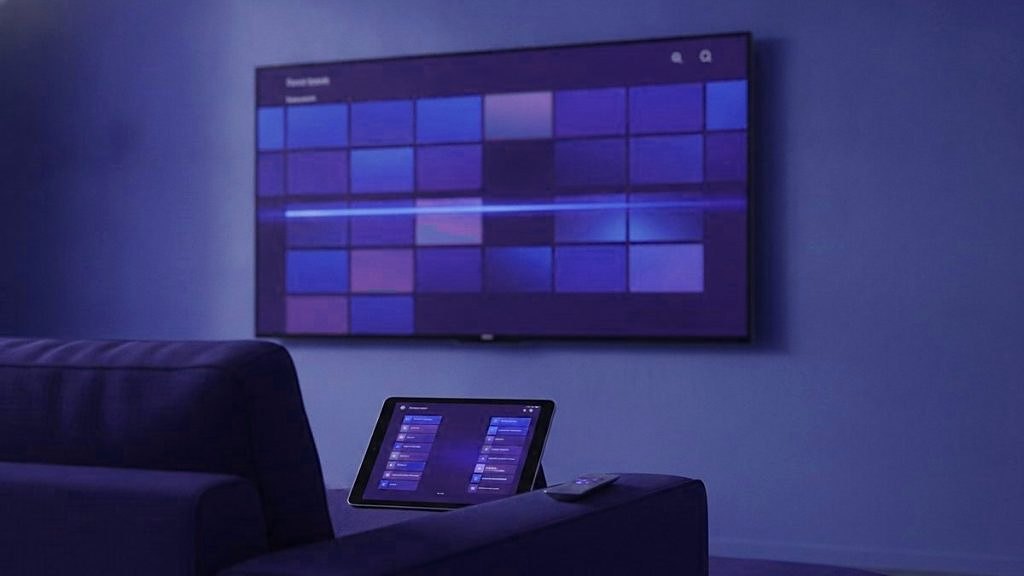
Whichever IPTV app makes 25,000+ channels feel small is the best one for you: it keeps your regular channels in a short list, draws a program guide you can read from the sofa and, on channels that carry catch-up, lets you return to a film that began an hour ago. IPTVSOSO, like most subscriptions of its kind, arrives as a login, not an app, which leaves the choice of player to you; changing it later costs a few minutes of typing. Which players you can install depends on the screen. Below are the five jobs worth judging a player on, the main candidates, and a two-minute check for each job.
First, what a player is for
A player is an empty frame. Install TiviMate or IPTV Smarters Pro, open it, and there is nothing to watch, because the channels, the guide data and the on-demand library all come from the subscription you type in. That is how every player works, not a fault.
With IPTVSOSO, what you type in is sent in the WhatsApp chat where you order: the Xtream Codes details (a server URL, a username and a password) and an M3U link. There is no IPTVSOSO app and no web account, so a store listing or download that borrows the name did not come from this service. The same details can sit in as many players, on as many devices, as you like. The plan counts only how many screens play at the same moment.
Five jobs a big line-up asks of a player
App reviews tend to judge looks and loading speed. Day to day, a player earns its place through five ordinary jobs, and each can be checked in a couple of minutes while a trial is running.
1. Cutting thousands of channels down to a dozen
Nobody pages through 25,000 entries with a remote. A long line-up becomes usable through a favorites list, better still several of them, plus the option to hide whole groups you will never open. A good first list is a “classics” one: a classic film channel such as TCM, a channel of comedy repeats, a channel known for older cartoons, a music channel, then your news and your sport. In TiviMate, favorites and group hiding come with Premium.
The check: star six channels, close the app, open it again, and see whether the list survived in the order you gave it.
2. Seeing a whole afternoon in one look
The program guide answers the questions a re-run viewer actually asks: when the afternoon film begins, what the repeats channel shows after dinner, whether the match clashes with either. Some players draw the guide as a grid, one row per channel with the hours running across; others show one channel’s schedule at a time. A grid wins as soon as you follow more than a handful of channels. More on reading the schedule is on the IPTVSOSO TV guide page.
The check: open the guide, scroll three hours ahead and down twenty channels, and notice whether it keeps up with the remote.
3. Going back to something that already started
Catch-up is included, but it lives on the channels that carry it, not on all of them, and the length of each archive differs from channel to channel. In a player that supports it, those channels usually carry a small marker in the guide, and choosing an earlier slot starts that program from its opening minute. For re-runs this is the feature that counts: a film that began at two o’clock is still there at half past three.
The check: find a channel with the marker and start something that aired earlier in the day.
4. Hopping between two channels
Plenty of television is a back-and-forth: the film on one channel, the score on another. A quick channel change, a search box that finds a channel from three or four letters, and a recent-channels list, where your player offers one, all make that easy. A Fire TV remote lacks number buttons, which leaves search and favorites to do the jumping on a stick.
The check: search for a channel by part of its name, then flip between two favorites ten times.
5. Browsing older films and finished series
The on-demand side of an IPTVSOSO subscription holds 120,000+ movies and series, sorted into categories. A player with separate Movies and Series sections makes that size easy to walk through. A player that reads only the playlist usually shows the same titles as long groups mixed in with the channels.
The check: open the series section, choose one category, and see how fast the list fills and how easily you can get back out.
TiviMate
TiviMate runs on Android-based TV hardware: Google TV and Android TV devices plus the Fire OS sticks. It is built around live television, and its program guide is what it is best known for. The free version plays channels and shows the guide. Paying for Premium opens up recording, multi-view, a second or third playlist, favorites and the hiding of groups; those last two do most to tame a list of this size. If the on-demand library matters as much as the channels, set TiviMate beside Smarters during the trial rather than assume either way.
TiviMate has never been released for iPhone, iPad or Apple TV, and apps in Apple’s store with similar names come from unrelated developers. Every field of its login screen is covered in the TiviMate setup guide for IPTVSOSO.
IPTV Smarters Pro and Smarters Player Lite
Of all the players here, Smarters reaches the widest range of screens: Android phones and TVs, Fire OS sticks, Windows computers, and Apple devices, which get a free edition named Smarters Player Lite. Sign in with Xtream Codes details and it opens on three separate sections, Live TV, Movies and Series, the most straightforward route into a large library. The guide is simpler than TiviMate’s and the design plainer. Look for a favorites option in the live section; whether it appears depends on your version.
Its strength is sameness. In a household that mixes an Android TV, an iPad and a Windows laptop, one player that behaves the same on all three saves explaining the menus three times. The IPTV Smarters Pro walkthrough shows each screen of the sign-in.
Smart IPTV
Smart IPTV is an app for the television itself. Samsung lists it in its store for 2022 and later sets running Tizen 6.5 or above, and an LG needs webOS 3.0 or newer. You will not find a username box. The screen shows the television’s MAC address instead, the M3U link is attached to that address on the developer’s site from any phone or computer, and the set then pulls the playlist in.
After a free period, the developer charges a one-time activation for each television, a fee you settle with the developer, entirely separate from IPTVSOSO. A reinstall of the app or a factory reset of the TV wipes the saved playlist, so keep the M3U link somewhere you can find it. Because the app reads a playlist, films and series generally appear as groups among the channels. The Smart IPTV setup page goes through the upload.
iPlayTV and the other Apple options
iPhones, iPads and Apple TVs install only from the App Store, which keeps the field narrow. Smarters Player Lite is free and the natural place to start. iPlayTV is a paid app that exists for Apple devices alone; it has a reputation for a tidy layout and takes the same subscription details. Where most viewing happens on an Apple TV, run both for an evening and keep the one whose guide reads more easily. Both are walked through in the guide for Apple TV and iPhone.
VLC, as a test bench
Nobody spends an evening of live channels in VLC, but on a computer it answers one question faster than anything else: does the M3U link work? Paste the link into it. If channels play, the subscription is fine, and any trouble you see elsewhere sits in the other player’s settings.
The players side by side
| Player | Screens | How the login goes in | On-demand layout | Long-list tools |
|---|---|---|---|---|
| TiviMate | Android TV, Google TV, Fire OS sticks | Xtream Codes details or the M3U link | Built around live TV; compare it during the trial | Favorites and group hiding with Premium |
| IPTV Smarters Pro | Android, Fire OS, Windows; on Apple as Smarters Player Lite | Xtream Codes details | Separate Live TV, Movies and Series sections | Favorites, depending on the version |
| Smart IPTV | Samsung 2022+ (Tizen 6.5+), LG on webOS 3.0+ | M3U link attached to the TV’s MAC address | Usually groups inside the channel list | Check during the trial |
| iPlayTV | iPhone, iPad, Apple TV only | The same subscription details | Check during the trial | Check during the trial |
| VLC | Computers | M3U link | Not meant for daily viewing | None; it is a test tool |
“Check during the trial” is deliberate. Players update often, menus move between versions, and a feature list copied from a store page is no substitute for five minutes with your own remote.
Older films on a newer screen
A question that comes with classic film channels: will a 4K player make an old film look new? No. Older films and television were made in SD or HD, and a channel carries them at that resolution. The player decodes the picture and the TV scales it up to fill the panel; neither can add detail that was never recorded. What a good setup protects is steadiness, so a picture that never stalls mid-scene matters more for a black-and-white film than any resolution badge.
Shape matters too. A lot of older television was made for squarer screens, so bars at the left and right are correct. If your player offers an aspect or zoom setting, leave it on the original shape instead of stretching faces to fill a wide panel. 4K earns its place with modern sport and recent releases, and the IPTVSOSO 4K page sets out what a UHD picture asks of your connection.
Xtream details or the M3U link
Most players accept either. Choose the Xtream Codes details wherever a player offers them, since the program guide and the on-demand menus then arrive with the login itself. The Xtream Codes login guide shows where each of the three fields goes.
The M3U link, built on get.php with your username and password, is for players that read only a playlist, such as Smart IPTV and VLC. Fed the link alone, a player may need the guide added by hand, using the xmltv.php address in its EPG field. That route is explained on the M3U playlist page.
Where to get a player safely
Use the store on the device wherever one exists. On a Fire OS stick, TiviMate goes in through the Downloader app once Developer Options are switched on; those stay hidden until you open My Fire TV, then About, and press select 7 times on the device name. The Fire TV Stick 4K Select is the exception: it runs Vega OS, cannot sideload, and runs only what the Amazon Appstore lists. Roku has no sideloading at all, which rules out most of the players above. Each menu on the way is named in the guide to set up IPTVSOSO on a Firestick.
Skip players handed around on forums, and ignore any APK offered as “the IPTVSOSO app”. No such app exists.
A shortlist by screen
- Fire OS stick, Android TV or Google TV: TiviMate first, with Smarters as a second opinion for the library.
- iPhone, iPad or Apple TV: Smarters Player Lite, then iPlayTV if you want a different guide.
- Samsung from 2022, or LG on webOS 3.0+: Smart IPTV, or a Smarters app if the TV’s store carries one.
- Windows laptop: IPTV Smarters Pro for watching, VLC for checking a link.
- MAG box: no player to choose; the box loads a portal linked to its MAC address.
Trying two players in one sitting
The IPTVSOSO free trial lasts 24 hours, and the login is sent in the WhatsApp chat. That gives you time to put two players on your main screen and run the five checks: a six-channel favorites list with a classic film channel at the top, a look three hours ahead in the guide, one program from catch-up, a search by name, and a stroll through the series section. Keep whichever felt quicker under your thumb; the login stays the same when you buy a plan. If your favorites list is built around older channels, the classic channels on IPTVSOSO page shows where they sit in the line-up.
Side questions, answered briefly
Which IPTV app handles a very large channel list best?
On Android-based TV devices, TiviMate, largely because its Premium version adds favorites and group hiding, which cut thousands of channels down to the ones you watch. On Apple screens, Smarters Player Lite or iPlayTV fill that role, and on a Samsung or LG TV with nothing plugged in, Smart IPTV. Each one accepts the same IPTVSOSO login, which makes a side-by-side comparison during the trial free.
Is there an IPTVSOSO app to download?
No. IPTVSOSO has no app of its own and no web account. The subscription is a set of Xtream Codes details (server URL, username and password) plus an M3U link, sent in the WhatsApp chat, and they are typed into a player made by another developer, TiviMate or IPTV Smarters Pro for example. Any APK presented as the IPTVSOSO app did not come from this service.
Can I use catch-up in any IPTV player?
Only in players that support it, and only on channels that carry an archive. Catch-up comes with IPTVSOSO, but not every channel keeps one, and how far back each archive reaches varies. In a player with catch-up support, those channels usually show a marker in the guide; choose an earlier slot and the program starts from its opening minute.
Does TiviMate work on an iPhone or Apple TV?
No. TiviMate exists only for Android-based TV hardware: Android TV, Google TV and Fire OS sticks. Similar names in Apple's App Store belong to other developers. On iPhone, iPad and Apple TV, start with Smarters Player Lite, which is free, or try iPlayTV, a paid app made for Apple devices alone. Both take the same subscription details.
Will a 4K player make old films look sharper?
No. A player decodes what the channel sends, and older films and shows were made in SD or HD, so they reach your TV at that resolution. The TV scales them to fill the screen but cannot add detail that was never recorded. 4K makes a visible difference on modern sport and new releases; for older material, a steady connection matters more.
Can I put the same login into two players?
Yes. Type your IPTVSOSO details into TiviMate on the living-room TV and into Smarters on a phone, and both will work. The plan only caps simultaneous viewing, anywhere from one screen to five. If two people will watch different channels at once, pick a plan with two connections.
Start with the classics, keep everything else
An IPTVSOSO term opens the classic film and re-run channels together with the other 25,000+ live channels and 120,000+ movies and series, sport and news included. A month costs $15 on one screen. Once you have paid, the login reaches your WhatsApp under 15 minutes, and a refund is yours on request for 7 days.
Also on the IPTVSOSO blog
Best IPTV box or stick: choosing what to plug in behind the TV
A box can add a better player, a network cable or a remote made for live TV, and sometimes the television needs…
October 8, 2026Is IPTV legal? Seven common beliefs about IPTV and the law, checked
The method behind IPTV is lawful; the rights behind each channel decide the rest. Seven things people believe about IPTV and the…
October 7, 2026IPTV glossary: common terms, sorted by the question behind them
The IPTV vocabulary, sorted by what you are trying to find out: what you are paying for, how you sign in, what…